Skip to content

How it works

Build it, send it, watch the answers arrive.

You do the first two once, in an evening. Then the site collects every answer while you get on with the rest.

Four steps

Two are yours. Two are ours.

  1. You do this

    Make it yours in an evening.

    Pick your address and your colours. The assistant drafts the words with you.

  2. You do this

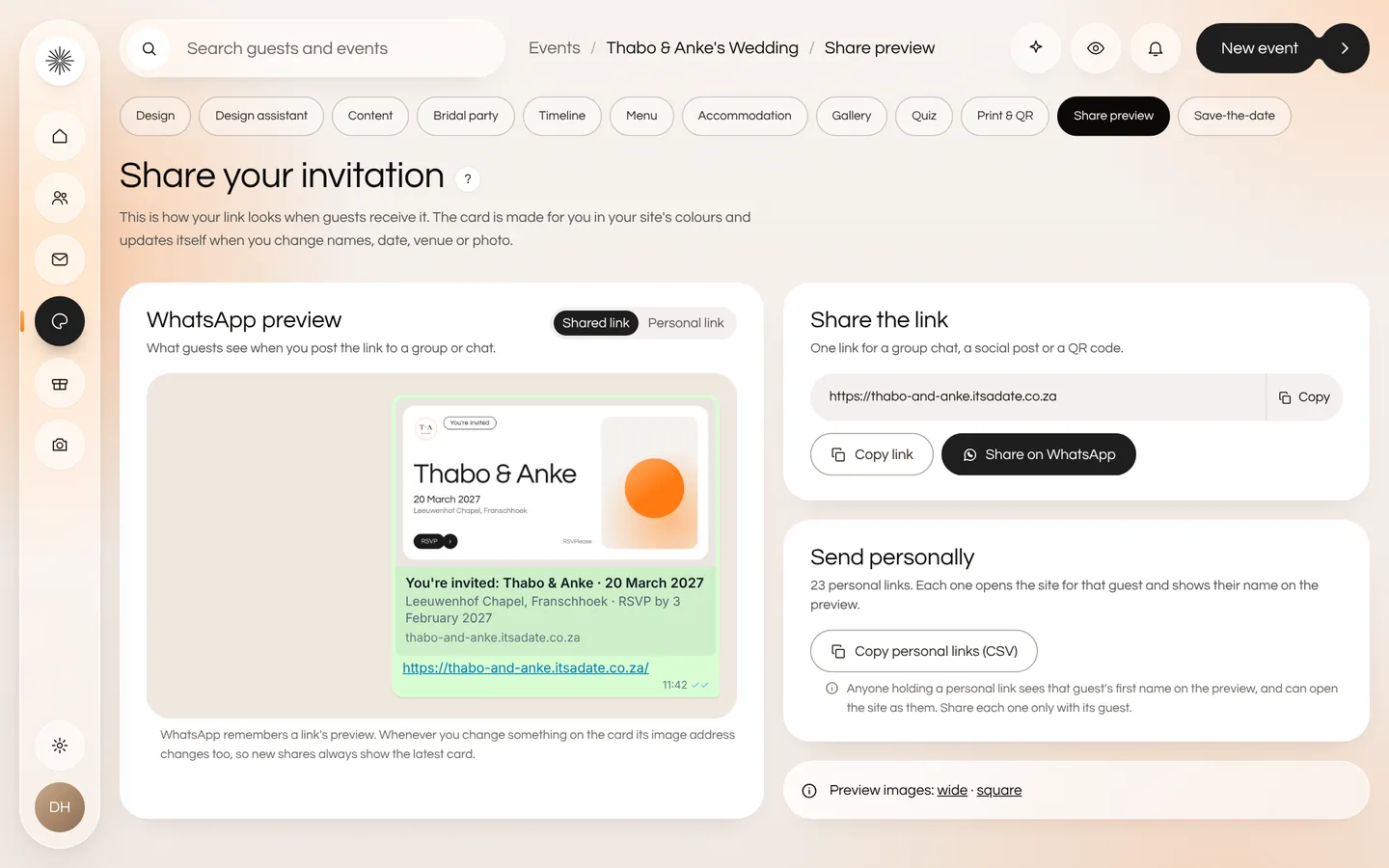
    Send one link on WhatsApp.

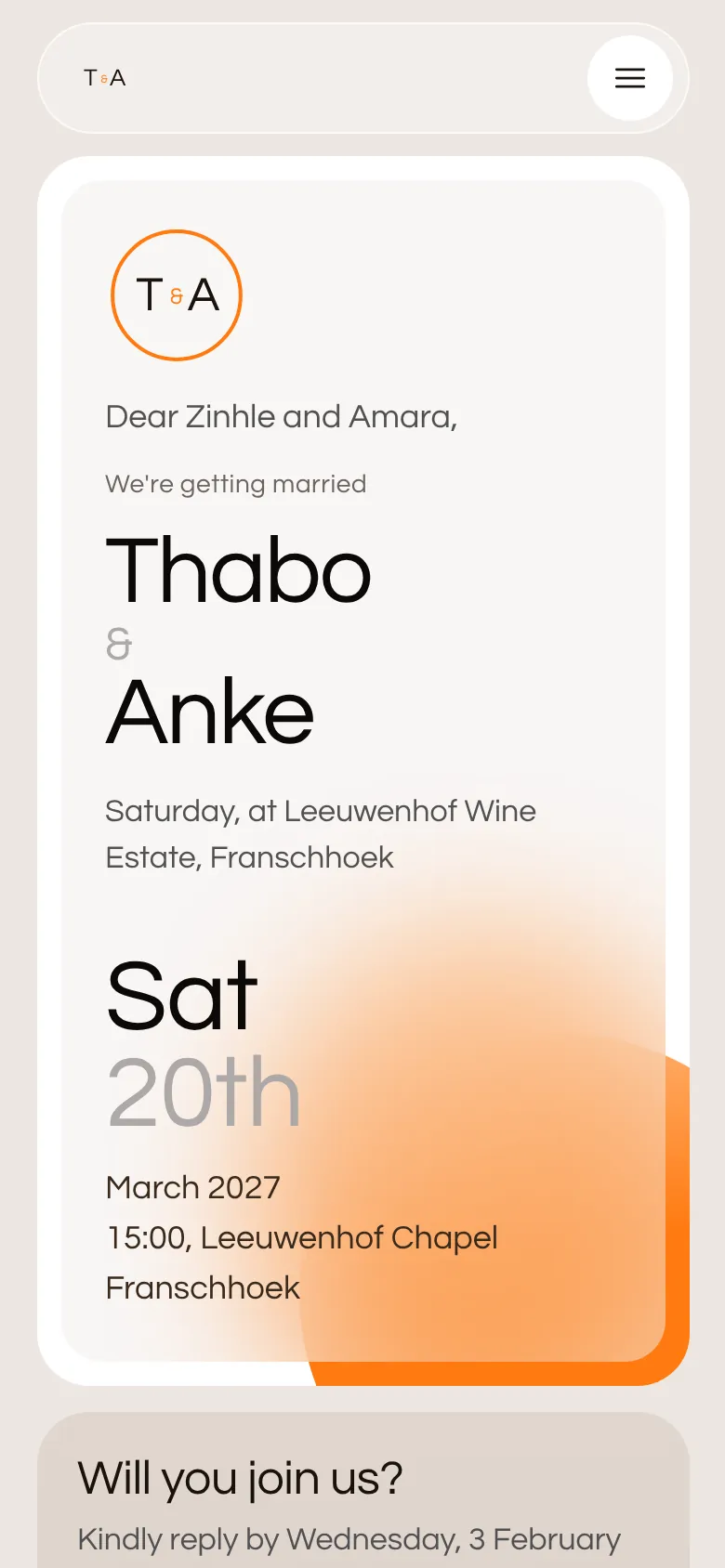
    Every guest gets their own link, and the preview has their names on it.

  3. We do this

    Let the reminders chase.

    Nudges go only to the guests who haven't replied, and never at midnight.

  4. We do this

    Watch the answers arrive.

    Headcount, meals and dietary needs, totalled for your caterer.

In the app

The real screens behind each step.

Your colours and monogram

Pick an accent, order your sections and watch the preview follow.

Monogram: Add-on · R149
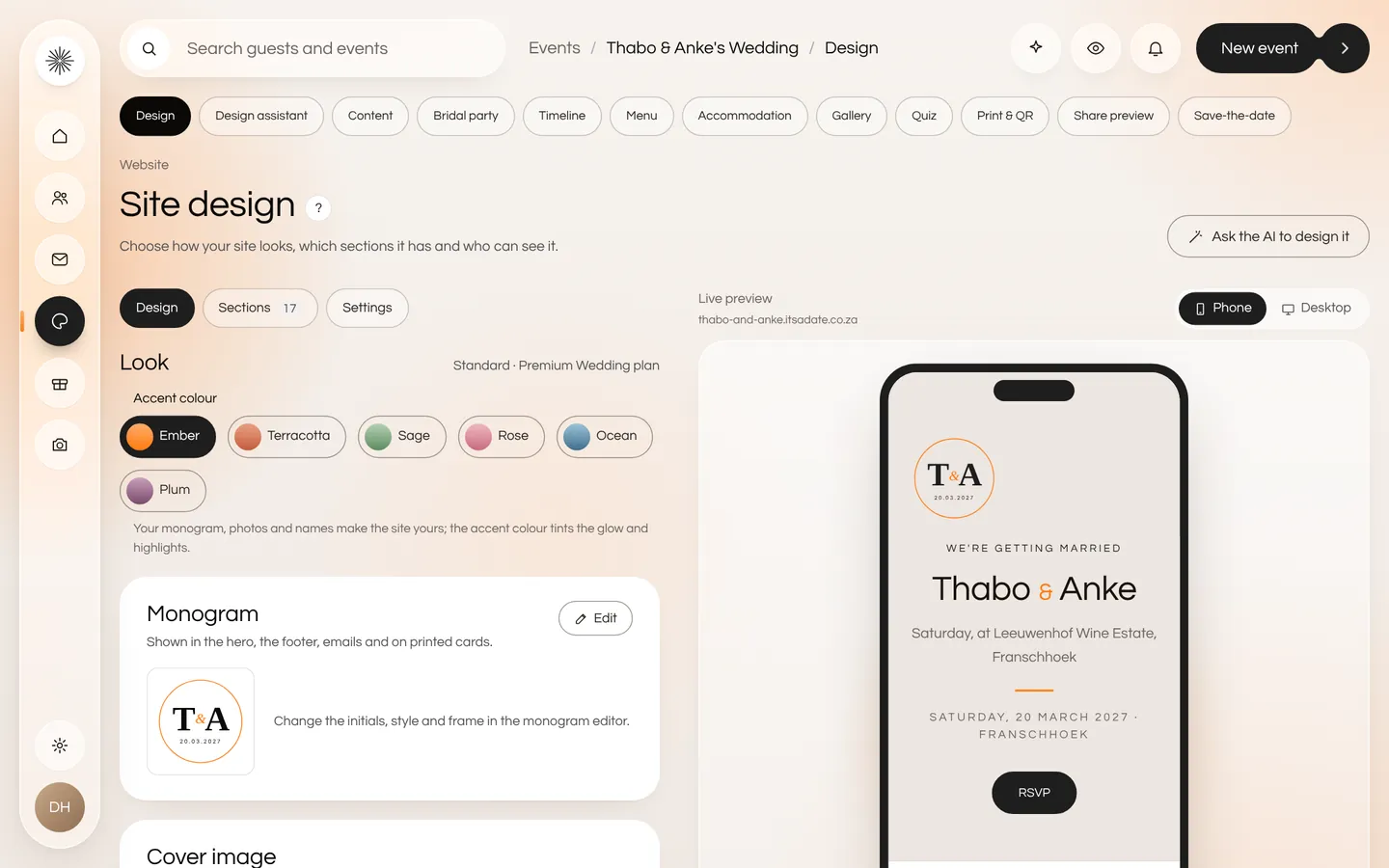
The site design page with accent colours, a monogram and a live phone preview

Messages on a schedule

Save-the-date, invitation and reminders that skip anyone who has already replied.
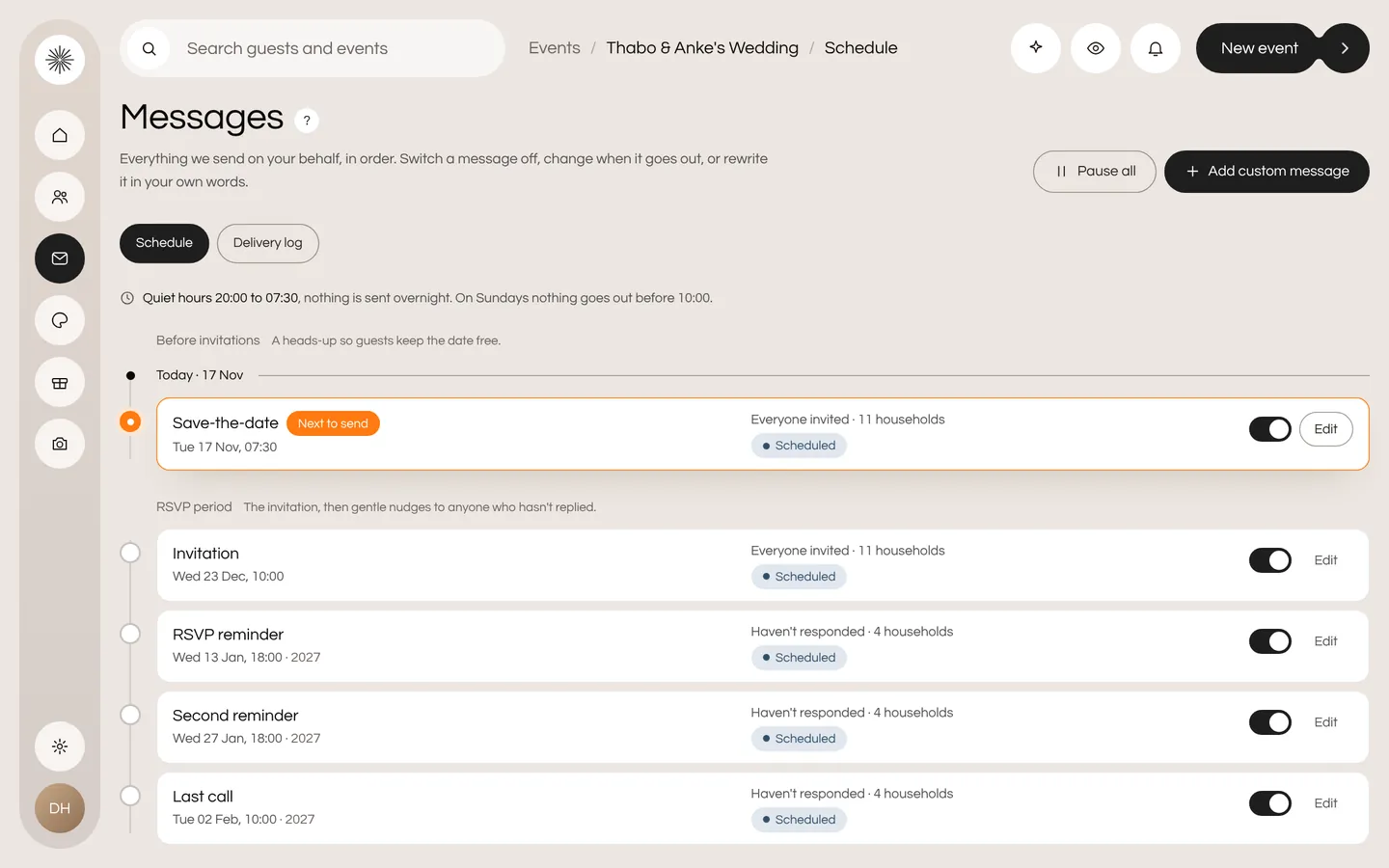
The message schedule with a save-the-date, an invitation and RSVP reminders, each with a switch

A live headcount

Meals and dietary needs, totalled for your caterer. Export the lot.
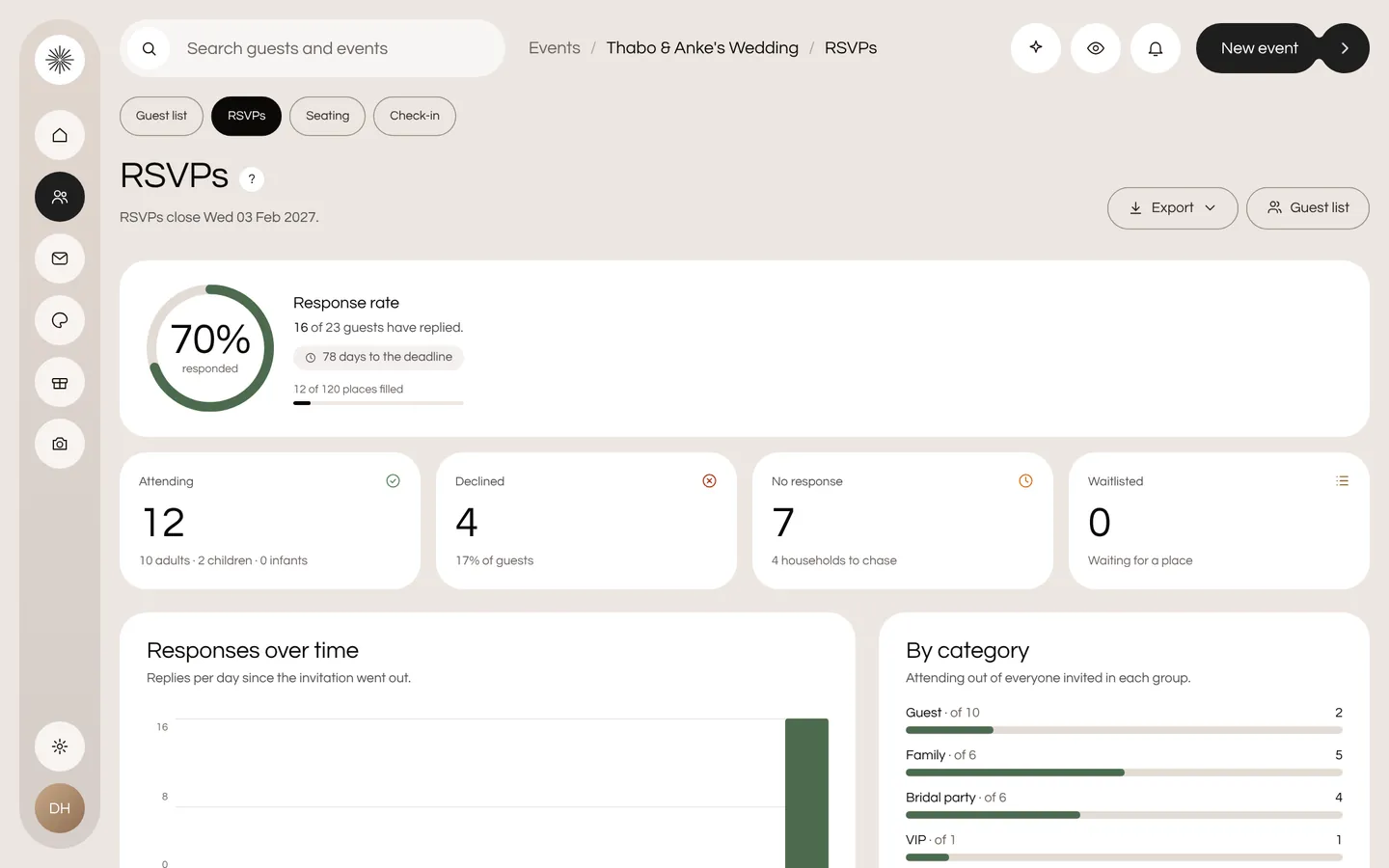
The RSVP dashboard with a 70 percent response rate and counts for attending, declined and not yet replied

See a real one

Thabo & Anke's wedding.

Their site, exactly as their guests see it.
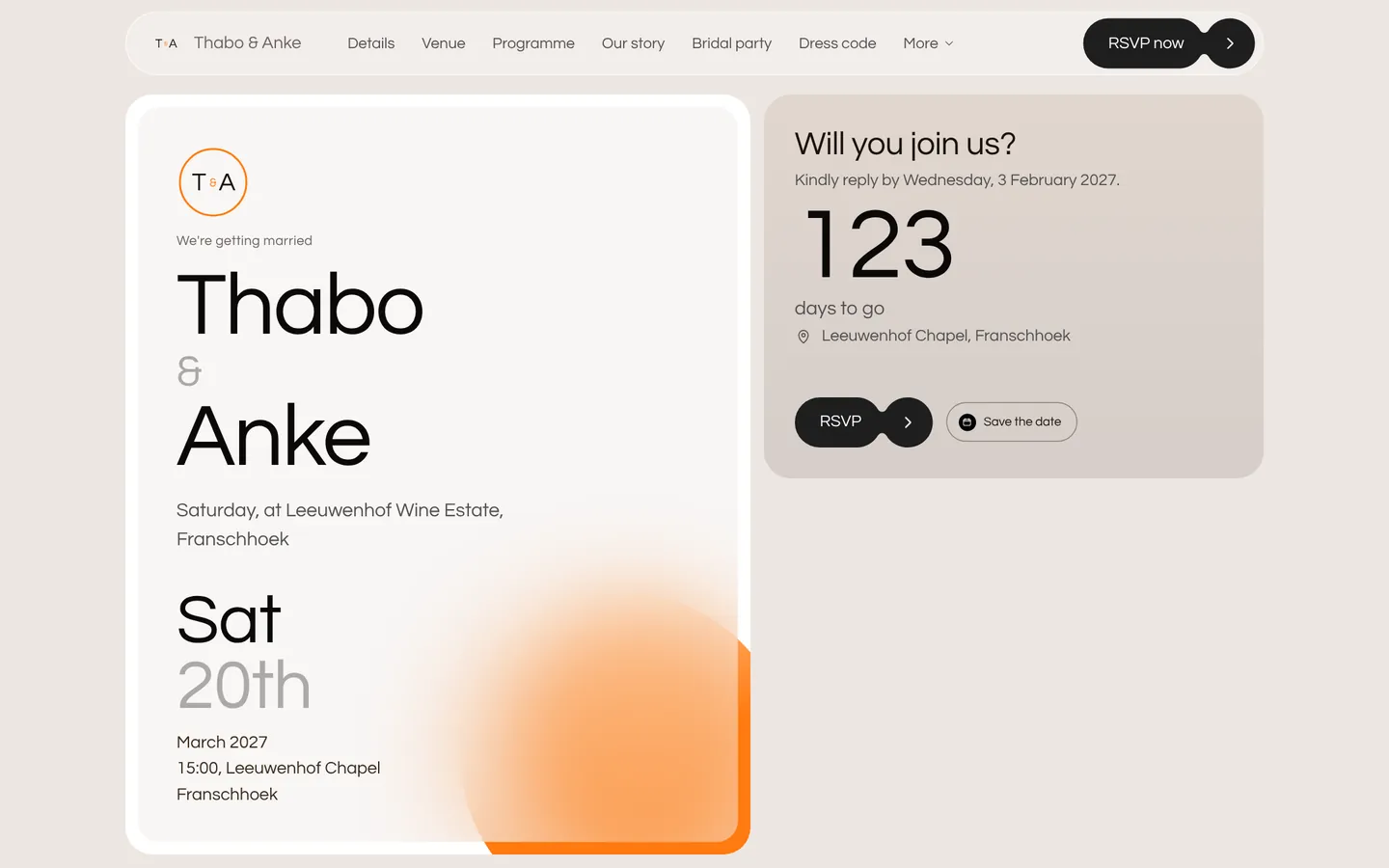
The sample wedding website of Thabo and Anke on a laptop
The same site on a phone, with a personal invitation and an RSVP button

Your guests are one link away.

Build the whole site for free and see it exactly as your guests will. Pay once, only when you're ready to invite more.